
MyOPSView

  • Fully Integrated real time interface with Advancis WinGuard PSIM

  • Management Reporting of Real Time and Historical trends for Alarms and Faults in your facilities.

  • Sophisticated Energy Management Reporting

  • Standard License starting at Euro 49 per month.

  • End Clients and Integrators - No Obligation Registration to use Build a Quote.

Northport Data Solutions

Trusted technology partner

Software development company providing tailored customization and administration services based on each client's business and operational needs.

Canadian company

Northport Data Solutions Group — headquartered in Canada, serving clients worldwide.

ISO certified

Quality management aligned with international standards for software and services delivery.

Technology partner

Advanced Software and Services Technology Partner to leading security and building platforms.

Europe

In production since 2019

MyOPSView software products deployed and in daily production use across European sites.

Middle East

In production since 2020

Expanded production deployments across the Middle East from 2020 onward.

Introduction – MyOPSView

MyOPSView is advanced reporting and analytics built for Advancis WinGuard. It brings data from your security, building, and energy systems into one platform so you can see, report, and act on what matters.

What you gain

  • Everything comes together in one place
  • Real-time visibility across sites and subsystems
  • Structured reporting for operations and compliance
  • Operational intelligence from trends and drill-downs

How it works

1. Data sources (subsystems)

Events and data flow in from security systems, fire systems, building management, sensors and devices, locations, and energy meters via external interfaces.

2. Collection & integration

WinGuard collects subsystem data. Energy meters connect through a dedicated integration layer alongside WinGuard, so both operational and energy data reach the platform.

3. Unified platform — MyOPSView

MyOPSView provides advanced reporting and analytics with role-based access, scalable architecture, historical data storage, alerts and notifications, and APIs for further integration.

4. Insights & outcomes

Teams use dashboards and analytics, scheduled and on-demand reports, trends and analysis, and energy insights to run smarter, safer operations.

Data sources (Subsystems)
Collection & Integration
Unified Platform
Insights & Outcomes
  • Security Systems
  • Fire Systems
  • Building Management Systems
  • Sensors & Devices
  • Locations
Energy Meters External Interfaces
WinGuard
Energy Meters Integration Layer
MyOPSView Advanced Reporting & Analytics
  • Role-Based Access
  • Scalable Architecture
  • Historical Data Store
  • Alerts & Notifications
  • APIs & Integrations
  • Dashboards & Analytics
  • Reports
  • Trends & Analysis
  • Energy Insights
Built for Scale

One Platform. Complete Visibility. Smarter Operations. | With MyOPSView, everything comes together.

Any Size From single site to enterprise-wide.
Any Level Enterprise, region, site or facility.
Any Time Real-time insights, anytime.
One Platform Unified visibility across safety, security and energy operations.
Secure & Reliable Enterprise-grade security and data protection.

MyOPSView Safety & Security

Capability areas
LIVE

1. Real-time visibility

  • Live event visibility
  • Subsystem monitoring
  • Real-time dashboards
  • Multi-site overview
  • Live event tables

2. Event intelligence

  • Event history tracking
  • Drill-down analysis
  • Time-based event trends
  • Event categorization
  • Deep-dive universal event view

3. Asset & device visibility

  • Asset-level reporting
  • Device health & status
  • Site/building graphical views
  • Location-wise device mapping
  • CAD-based visualization
  • Event location context

4. Reporting & analytics

  • Scheduled & on-demand reports
  • Event summary reporting
  • Historical trend analysis
  • Multi-complex insights
  • Armed / disarmed monitoring
  • Operator workflow tracking
Unified operational reports

Comprehensive reports for better decisions and compliance.

Historical trend analysis

Identify patterns and track operational trends.

Device & asset reports

Detailed reports on devices, assets and sensor types.

Scheduled & on-demand reports

Automatic or one-time reporting as per your needs.
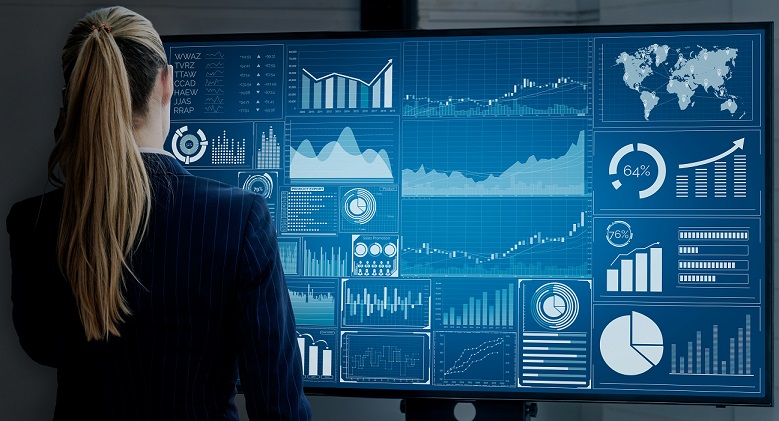
MyOPSView dashboard
Event summary reports

Summarized insights across sites, events and time periods.

Armed / disarmed monitoring

Track armed and disarmed status across sites and devices.

Operator workflow tracking

Track operator actions and workflow executions.

All reports are interactive, filterable and customizable.

MyOPSView Energy Management

Capability areas

1. Monitor & Visualize

  • Energy Dashboard
  • Consumption Overview
  • Device & Utility Monitoring
  • Multi-Site Overview
  • Demand Monitoring

2. Analyze & Understand

  • Historical Trends
  • Time-Based Analysis
  • Peak vs Off-Peak Analysis
  • Year-on-Year Comparison
  • Multi-Complex Summary and Comparison

3. Optimize & Save

  • Cost Monitoring
  • Peak Usage Analysis
  • Device Comparison Report
  • Usage Projections
  • Budget vs Actual

4. Insights & Action

  • Anomaly Detection
  • Energy Efficiency Insights
  • Optimization Opportunities
  • Alert Configurations
  • Forecasting & Projections
  • Sustainability Insights

Interactive Consumption Reports

Explore energy data at every level with interactive reports and real-time drilldowns.
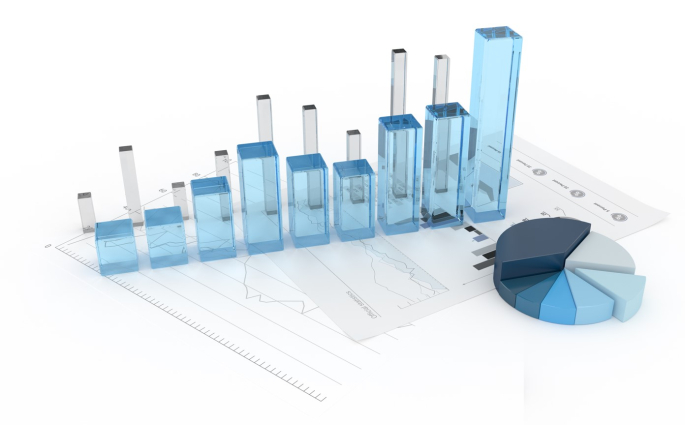
  • Interactive DrilldownsDrill down from total usage to site, building, floor, area or device.
  • Flexible FiltersFilter by time, location, device type and more.
  • Rich VisualizationsCharts, comparisons and trends for faster insights.
Energy dashboard report
All reports are interactive, filterable and customizable.

Automated Energy Intelligence Report

Smart monthly analysis that automatically detects abnormal usage and delivers prioritized insights.

CriticalUrgent high usage requiring immediate attention.
SignificantSignificant energy increases - investigation recommended.
Monitor CloselyModerate usage increase - monitor trends changes.

Configurable Comparisons

Same Month Last Year (SPLY)Compare with the same month in the previous year.

Last Month (MoM)Compare with the immediate previous month.

Monthly automated reports delivered via email. Actionable insights with cost impact. Configurable thresholds and comparison modes.

Real-Time Alerts & Notifications

Get notified instantly for issues that impact performance and cost.

High Usage AlertUsage is higher than expected threshold.
No Data AlertMeter has not sent data for configured duration.
Abnormal Usage AlertUsage deviates significantly from expected patterns.
Custom AlertsConfigure alerts based on your rules and operational needs.

Pushed Notifications

Deliver operational alerts to the right users when events need attention.

Support mobile-aware workflows for alarms, faults, and service events.

Filter notifications by site, system, priority, or user responsibility.

Use event history to review notification patterns and response activity.

Notification Details

Targeted Delivery

  • Route alerts by user role and operational responsibility
  • Highlight alarms, faults, and priority events

Operational Awareness

  • Keep teams informed beyond the control room
  • Prepare future workflows for acknowledgement and escalation

Services Portal

Provide a central portal for service access, support, and operational tools.

Support service requests and follow-up activities from one workspace.

Help administrators manage access and customer-facing service functions.

Bring product services together as the platform grows.

Portal Details

Customer Service Access

  • Single access point for product and support workflows
  • Designed to support future service expansion

Administration Ready

  • Organize portal functions for end clients and integrators
  • Align service access with account registration and quoting

Our Videos

Sample One

Contact us

Email: sales@northportdata.com
Web: www.northportdata.com

Loading
Thank you for contacting us. A member of our sales team will be in touch with you shortly.

Free Registration

Create a no obligation account to explore MyOPSView options.

Use Build a Quote to estimate your subscription requirements.

Review Safety and Security product options for your sites.

Explore Energy Management reporting and meter integration.

Verify your email with OTP and continue securely.

Register

Password must include uppercase, lowercase, number, symbol, and at least 8 characters.
Loading

Sample Pricing

Choose Standard, Premium, or Platinum subscription levels for each product area.

Safety and Security pricing combines a software component with DPU sizing.

Energy Management pricing combines a software component with meter device counts.

Free Registration gives access to Build a Quote for a deeper pricing estimate.

Sample pricing is intended for orientation. Final pricing depends on selected scope and sizing.

Subscription Components

Safety and Security Subscriptions

Sample based on 1000 DPU. Software subscription plus DPU sizing component.

StandardEuro 49 PremiumSample PlatinumSample
  • Software component based on selected subscription level
  • DPU sizing component based on connected operational scope

Energy Management Subscriptions

Sample based on 5 external meters. Software subscription plus meter device component.

StandardEuro 99 PremiumSample PlatinumSample
  • Software component based on selected subscription level
  • Meter device component based on integrated meters
Free Registration to use Build a Quote

Product - Visitor Management by Northport

Download